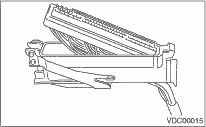
1. Turn the ignition switch to OFF.
2. Disconnect the connectors from VDCCM.
3. Remove the band.
4. Remove the cable clamp cover.
5. Remove the screw securing the connector cover.
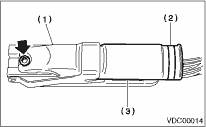
|
(1) |
Connector cover |
|
(2) |
Band |
|
(3) |
Cable clamp cover |
6. Remove the connector cover.