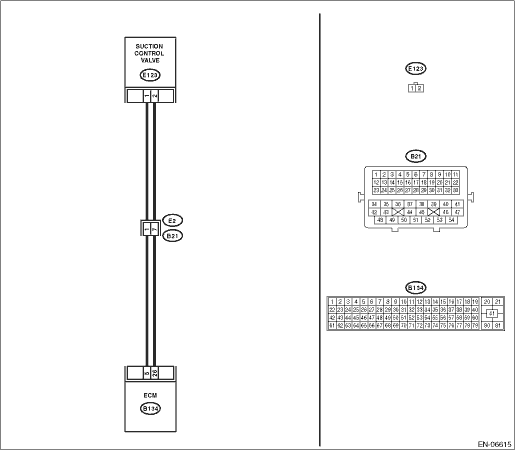
1.CHECK EXPERIENCE OF RUNNING OUT OF FUEL.
Check if there was an experience of running out of fuel using “Check List for Interview”. 
|
Has the vehicle experienced running out of fuel?
|
|
|
2.CHECK DTC.
1) Clear the memory using the Subaru Select Monitor or general scan tool.
NOTE:
For detailed procedures, refer to “Clear Memory Mode”.
2) Perform the “Inspection Mode” to check DTC.
|
Is the same DTC as current diagnosis output?
|
Operate the priming pump and then start the engine to bleed the air completely.
|
Finish the diagnosis.
NOTE:
DTC may be recorded as a result of air entering into fuel pump while running out of fuel.
|
3.CHECK FOR ANY OTHER DTC ON DISPLAY.
|
Is any other DTC displayed?
|
Check the appropriate DTC using the “List of Diagnostic Trouble Code (DTC)”.
|
|
4.CHECK FUEL FILTER AND FUEL SUB LEVEL SENSOR FILTER.
Check the fuel filter and fuel sub level sensor filter.
|
Are the fuel filter and fuel sub level sensor filter normal?
|
|
Replace the fuel filter or fuel sub level sensor filter.
|
5.CHECK FUEL DELIVERY LINE (HIGH PRESSURE LINE).
Check fuel delivery line (high pressure line) using Subaru Select Monitor.
WARNING:
When checking fuel delivery line during engine operation, be very careful so that one's hair, body and clothes do not touch the rotating part in the engine compartment.
NOTE:
For detailed procedures, refer to “High Pressure Fuel Inspection”.
|
Are there leaks from the fuel delivery line (high pressure line)?
|
Replace the faulty fuel delivery line.
|
|
6.CHECK COMMON RAIL PRESSURE.
Read the data of “Target Common Rail Pressure” and “Common rail pressure” using Subaru Select Monitor.
NOTE:
For detailed operation procedures, refer to “READ CURRENT DATA FOR ENGINE”.
|
Does “Common rail pressure” change in response to “Target Common Rail Pressure”?
|
Inspect corresponding malfunction using “General Diagnostic Table”.
|
Inspect using “Diagnostic Procedure without Diagnostic Trouble Code (DTC)”.
|