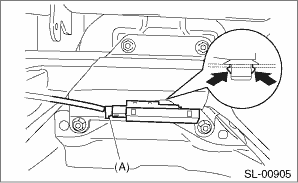
1. Disconnect the ground cable from battery.
2. Remove the ornament panel. 
3. Remove the audio and heater duct.
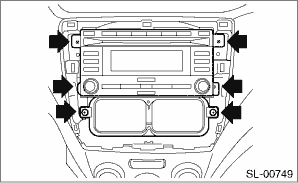
4. Remove the front antenna.
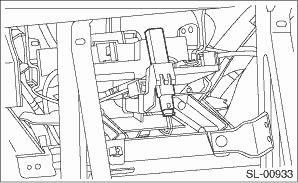
• Model without rear seat table
1. Disconnect the ground cable from battery.
2. Remove the rear seat cushion.
3. Remove the screws and remove the case.
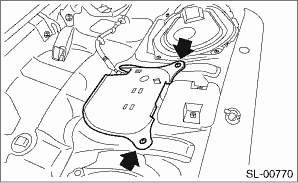
4. Disconnect the connector and remove the antenna together with the case.
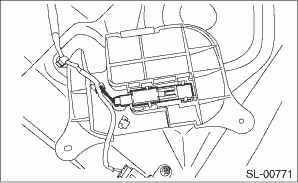
NOTE:
Do not remove the antenna assembly from the case unless you are replacing the antenna. Removal of the antenna assembly will cause the case and antenna assembly to rattle leading to noise being emitted when driving.
5. Remove the center antenna from the case.
• Model with rear seat table
1. Disconnect the ground cable from battery.
2. Remove the rear seat cushion.
3. Remove nuts and disconnect connector (A) to remove the antenna together with bracket.
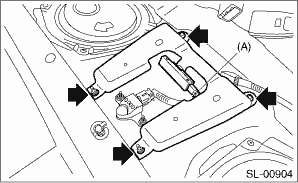
NOTE:
Do not remove the antenna assembly from the bracket unless you are replacing the antenna. Removal of the antenna assembly will cause the bracket and antenna assembly to rattle leading to noise being emitted when driving.
4. Remove the center antenna from the bracket.
1. Disconnect the ground cable from battery.
2. Open the rear gate, and remove the luggage floor mat.
3. Remove the center sub trunk (A) (model with center sub trunk), and remove the sub trunk RH (B) and sub trunk LH (C) fixed by clips.
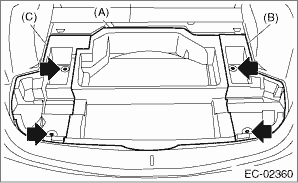
4. Tilt the rear seat backrest forward.
5. Remove the clips that is holding the rear seat backrest cover on the canister cover, and turn over the rear seat backrest cover toward the front side of the vehicle.
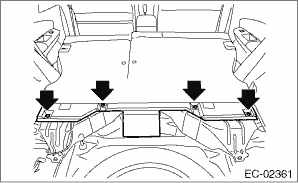
6. Disconnect connector (A) to remove the rear antenna.